
Permissions
Below is an explanation of every permission shown in your interface.
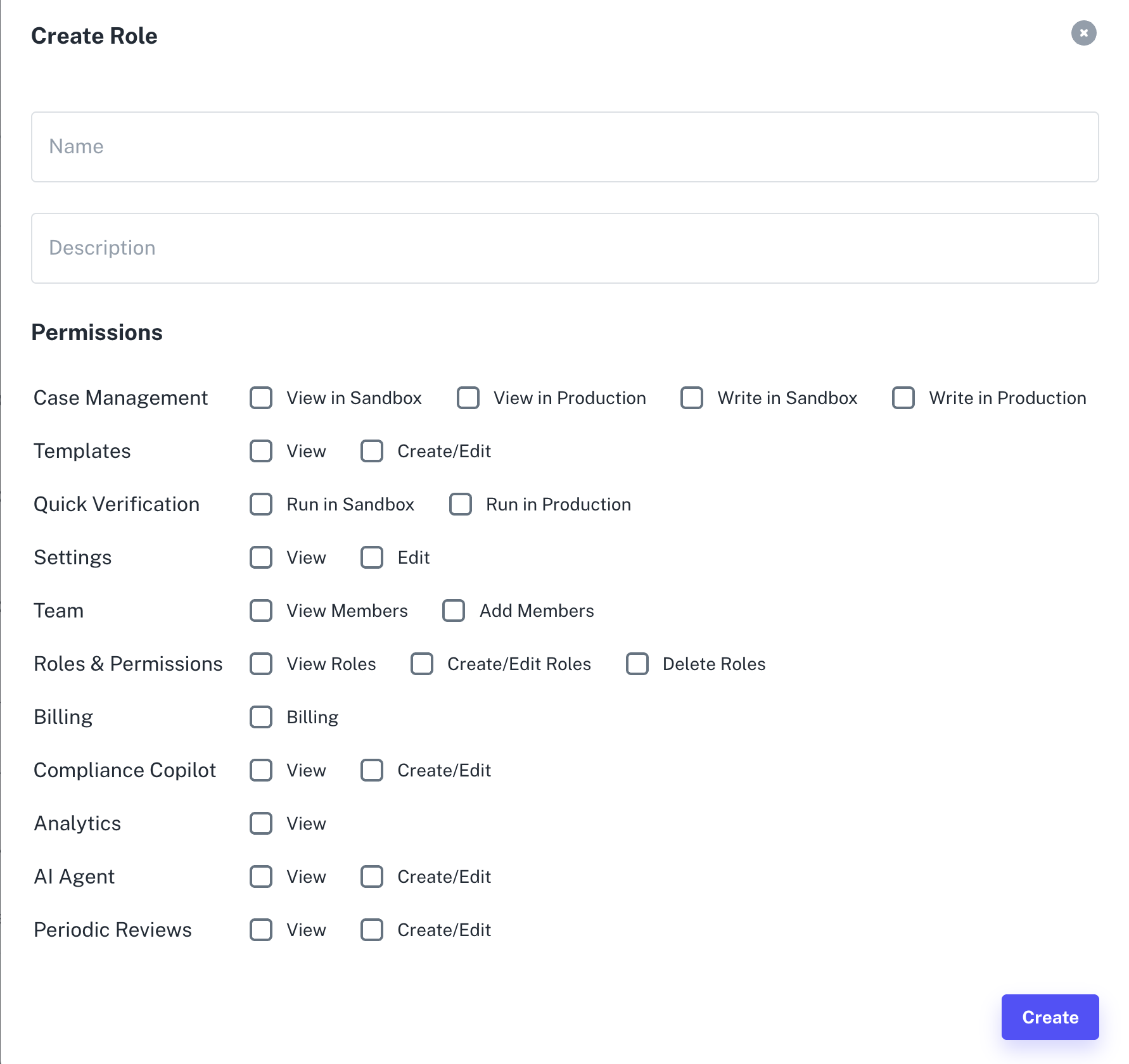
Create role and configure permissions
Case Management
Controls access to viewing or modifying verification cases.
- View in Sandbox — View cases created in the Sandbox environment.
- View in Production — View production cases.
- Write in Sandbox — Perform actions (approve, reject, edit) on sandbox cases.
- Write in Production — Perform actions on live production cases.
Templates
Controls access to KYC/KYB template creation and configuration.
- View — View available templates.
- Create/Edit — Create new templates or modify existing ones.
Quick Verification
Allows initiating manual verifications from the Dashboard.
- Run in Sandbox — Run test verifications.
- Run in Production — Run live verifications for real users/businesses.
Workflows
Manages orchestration workflows used in automated or AI-driven processes.
- View — View workflow logic and configuration.
- Create/Edit — Build or modify workflows.
- Delete — Remove workflows that are no longer needed.
Settings
- View — View organisation settings, integrations, and configurations.
- Edit — Edit company-wide settings, API keys, integrations, or branding.
Admin
- Admin AiPrise — Reserved for AiPrise team or super-admin level internal support.
Team Management
Controls member management.
- View Members — View all team members and their roles.
- Add Members — Invite new team members.
Roles & Permissions
- View Roles — View all roles and associated permissions.
- Create/Edit Roles — Create new roles or update existing ones.
- Delete Roles — Permanently remove roles not in use.
Billing
- Billing — Access to billing pages and usage details.
Compliance Copilot
Manages AiPrise’s AI-driven compliance assistance tools.
- View — View compliance AI outputs.
- Create/Edit — Modify configurations related to the Compliance Copilot.
Analytics
- View — Access analytics dashboards, pass rates, fraud signals, and trends.
AI Agent
Controls access to AiPrise’s AI automation tools.
- View — View AI agent configurations and insights.
- Create/Edit — Build or modify AI agent automations.
Periodic Reviews
Controls access to ongoing monitoring and scheduled re-verification.
- View — View periodic review tasks.
- Create/Edit — Configure or modify review schedules and rules.
Updated 10 months ago
Did this page help you?